
Most new computers these days are coming with high resolution screens. This means that we can have great detail, and fit lots of information on the screen. It also means, though, that some things become very small and hard to read. Fortunately, Windows 10 has a built-in option to help with this: Display scaling.
Windows 10 Display Scaling
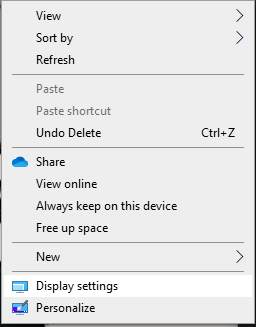
Step 1. Right-click on your desktop and then left-click the “Display settings” item near the bottom.
Step 2. Look for the “Scale and layout” section as shown below.
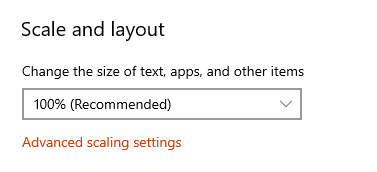
Step 3. Left-click the drop down menu and try a larger or smaller percentage value.
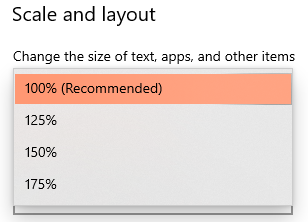
The display should change right away- but you’ll need to sign out and then back in, or restart Windows for the full affect.