
Sometimes Windows Explorer caches content, and can stuck in “offline” mode. Fortunately, it’s a quick change.
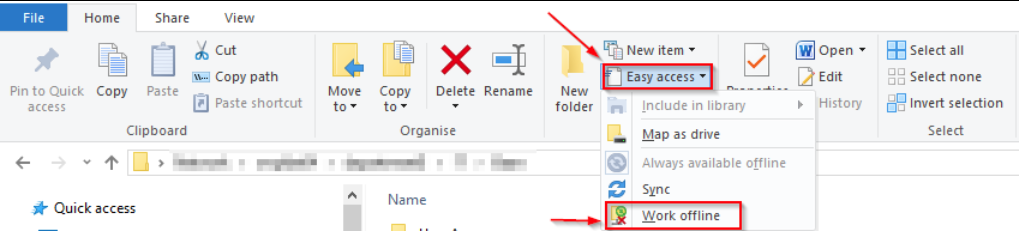
Step 1: Click on the Home tab of the Explorer Ribbon
Step 2: Click on the “Easy access” drop down arrow
Step 3: Click on the “Work offline” button to toggle it off.