- Select the Calendar button in the Navigation Bar.
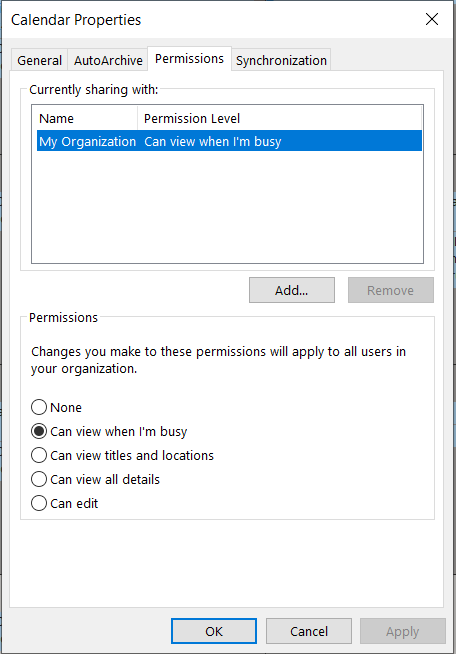
- Select the calendar that you would like to share, right-click on the Calendar and choose Share > Calendar Permissions.
- On the Permissions tab, you may add or remove users to whom you have delegated access to your calendar.
- To add a new delegate, select Add… and search for the desired user by Last Name. You can search the Global Address List or your personal contacts list by selecting the appropriate drop-down menu under Address Book. Under the Permissions heading, choose the level of detail you would like to provide to the user.
- To remove a delegate, select the user and choose Remove.
- Choose Apply > OK.