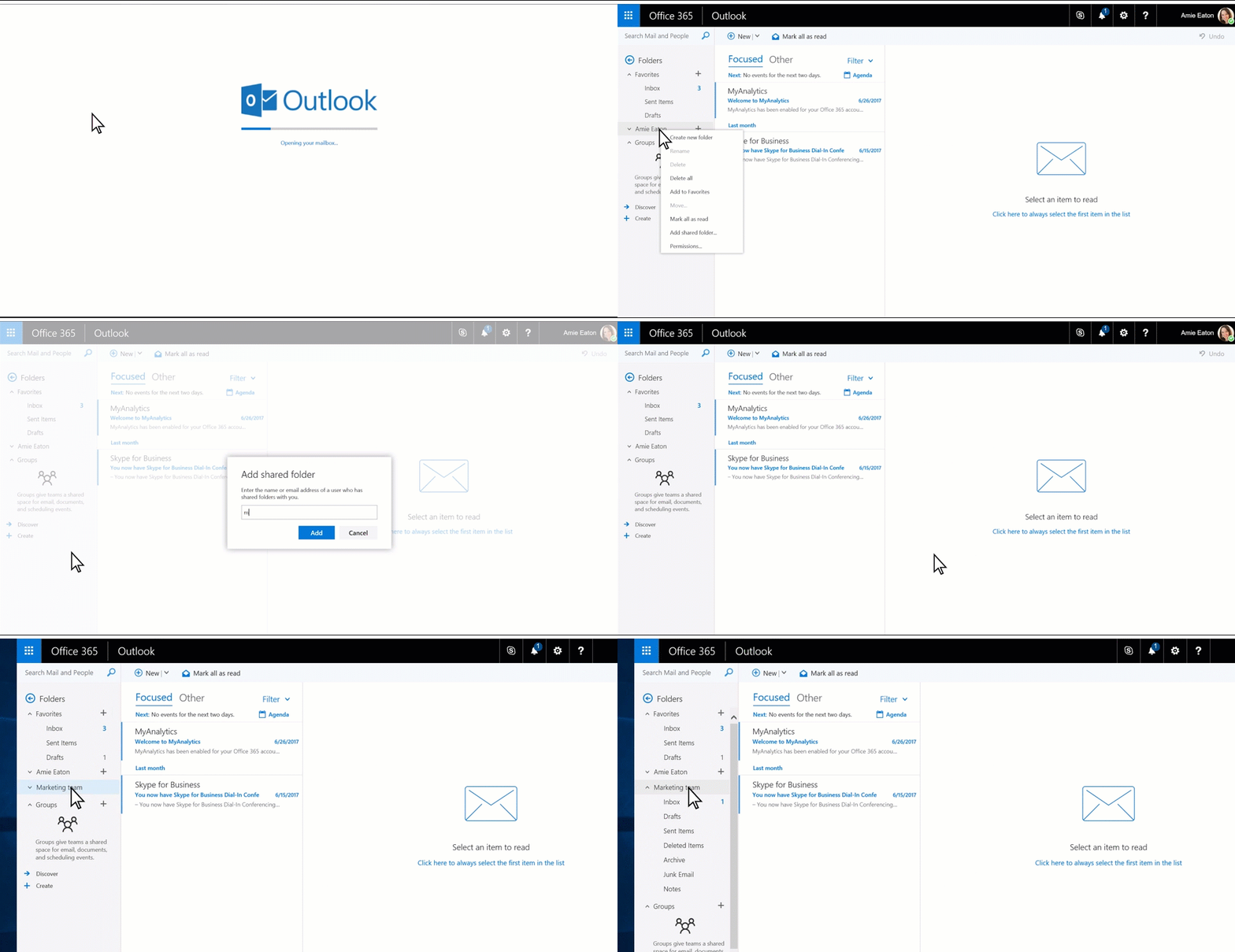
- Navigate to https://outlook.office.com and log in to your account.
- On the Left side menu, right click on “Folders” or Your Name.
- Left click “Add Shared Folder”
- Type in the email address of the Shared Mailbox you would like to add, and click the “Add” button.
- The Shared Mailbox will appear in the left side menu after a few seconds.