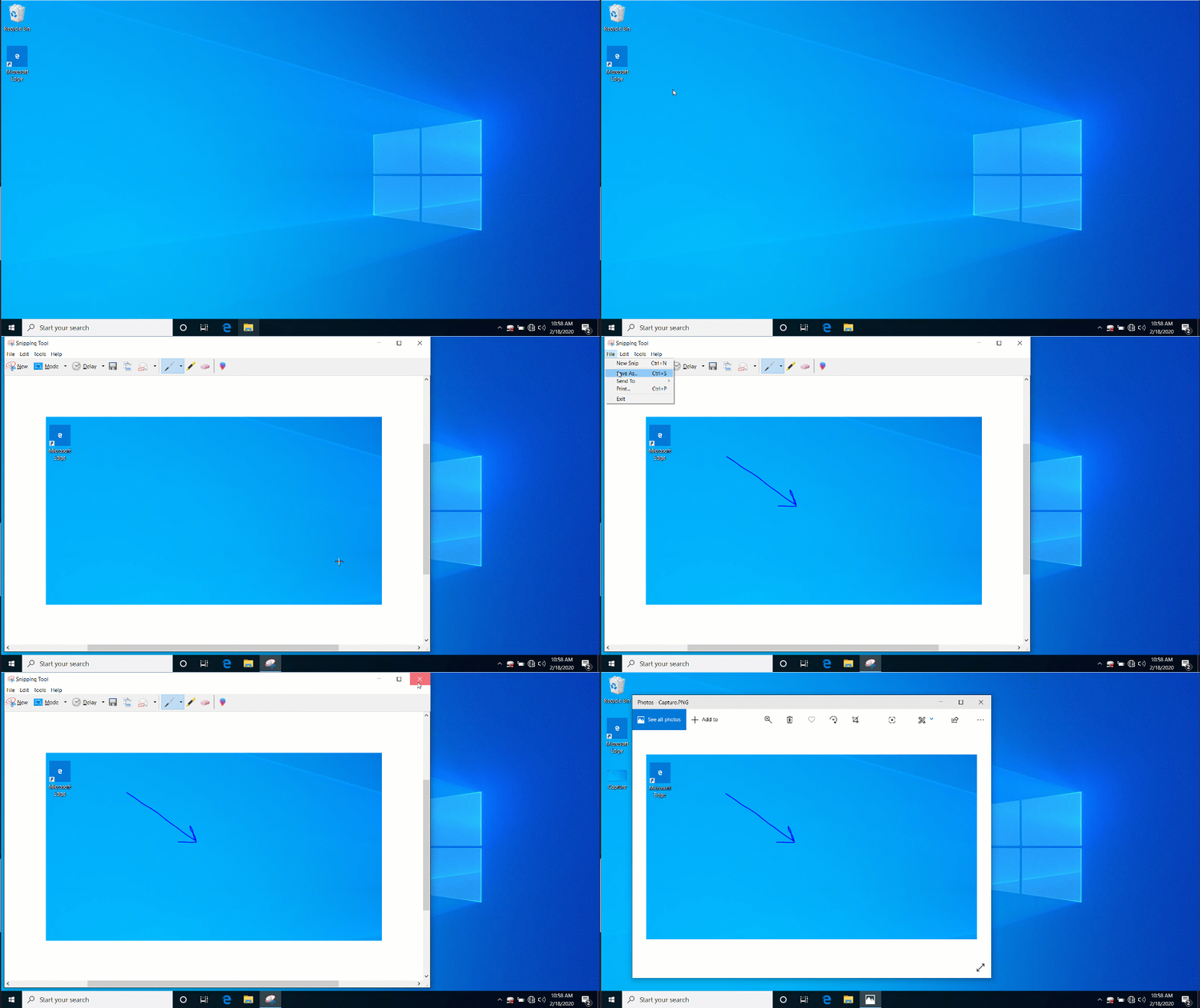
A great way to share information is the Snipping Tool. Your technician may ask you to send a screenshot so that they can view an error, or help visualize your technical difficulty. Here’s how to use the tool:
- Click the Start button and type “Snip”
- Click the Snipping Tool button
- Click the New button in the Snipping Tool window
- Click and drag to highlight the area of the screen to capture
- Save the new “snip” somewhere on your computer so that you can email to your tech!